
ThemeMate DIY Themes & Widgets
WestPoint StorePersonalization
4.614.00 Reviews
- Version
- 1.2.5
- Installs
- 100.00K
- Age Rating
- Everyone
Screenshots
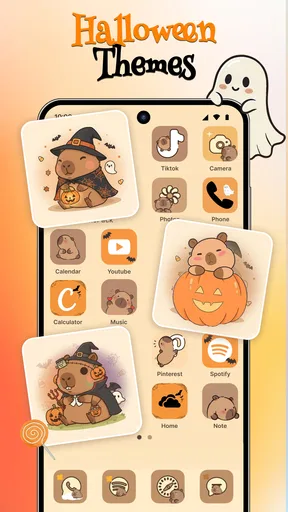
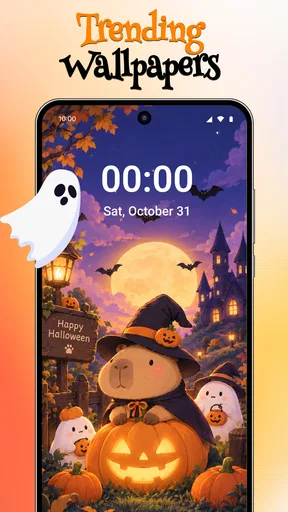
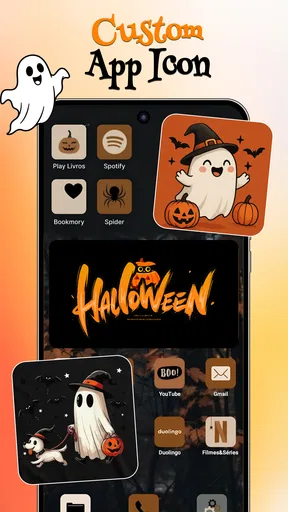
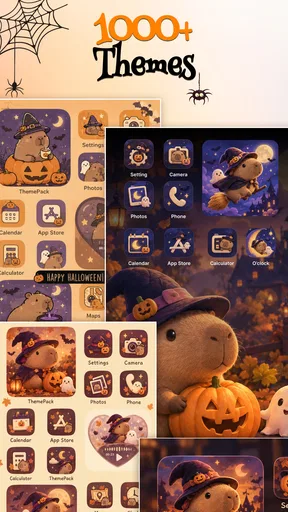
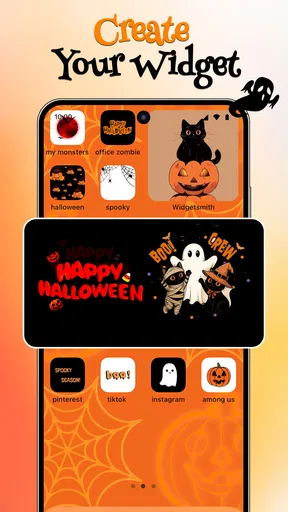
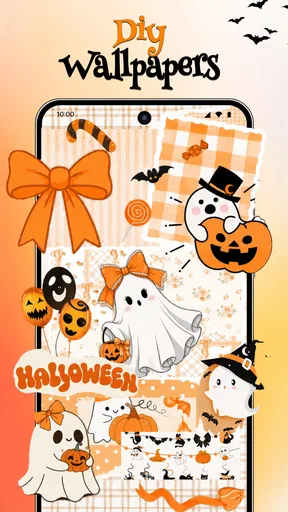
Our Review of ThemeMate DIY Themes & Widgets
 Analysis by Appyee
I spent time with ThemeMate DIY Themes & Widgets as a personalization app rather than treating it like a simple wallpaper picker. Its main appeal is the chance to make a phone feel more coordinated, using themes, high-resolution wallpapers, icons, and widgets in one place. That sounds straightforward, but the real value depends on how carefully you build the screen and how often you are willing to adjust it.
My first impression was that ThemeMate is aimed at people who want a visual refresh without assembling every part manually from separate apps. The catalog approach makes it easier to begin with a mood, then shape the home screen around it. I found that more useful than endlessly browsing isolated backgrounds, because the wallpaper can act as the starting point for the rest of the layout.
It is a free app from WestPoint Store, with optional purchases ranging from $2.99 to $14.99 per item. That makes it approachable for experimenting, although anyone who wants a large collection of premium-looking material should pay attention to where the free selection ends. The app is rated for Everyone, and it runs on Android 7.0 or later, so compatibility should cover many older phones as well as newer devices.
Building a useful baseline instead of changing everything at once
My preferred way to start with ThemeMate is deliberately restrained. I choose one wallpaper first, check whether its focal point clashes with the clock or app labels, and only then consider icons and widgets. This order matters. A busy background can make an otherwise attractive theme uncomfortable to use, while a quieter image gives the rest of the screen room to breathe.
The app works best when I treat the home screen as a practical surface, not a poster. I keep the first page for the apps I open most often and use the visual elements to support that arrangement. A widget should earn its space by showing information I actually check. If it is only there because it matches the theme, it can make the screen look finished while making everyday navigation slower.
One useful habit is to test a theme during normal use rather than judging it immediately after installation. I open messaging, maps, the camera, and settings before deciding whether the design works. Dark details that look elegant in a preview can become hard to distinguish behind icons, and pale wallpapers can reduce contrast around labels. A few minutes of ordinary use reveals problems that a static glance misses.
The wallpaper collection is also more useful when I think about lighting conditions. A design that looks balanced indoors may feel too bright at night, particularly if the phone does not automatically soften the image. I prefer keeping a calmer choice ready for evening use instead of selecting the most dramatic image available. That is a small distinction, but it turns personalization into something sustainable rather than a one-day novelty.
For someone who wants a quick makeover, the starting workflow is simple: browse, select a visual direction, apply the parts that fit, and remove anything that interferes with access. For someone who enjoys detailed customization, the same process becomes a way to create a consistent screen without losing the familiar placement of important apps. I appreciate that flexibility, even though the result still depends on the tools and layout options offered by the phone itself.
Settings worth checking before settling on a design
The most important checks are not necessarily inside the artwork itself. I look at the phone’s home-screen settings, icon-label behavior, widget sizing, and whether the launcher permits the arrangement I want. ThemeMate can supply the visual ingredients, but the operating system controls much of the final presentation. That distinction prevents disappointment when a theme looks different after it reaches the actual home screen.
I also check whether the wallpaper remains clear behind the status area and navigation controls. A strong image can lose its balance when the top portion is covered by system information. If the subject is positioned too high, I would rather choose another image than keep moving icons around to compensate. This is one reason I see the app as a source of coordinated material, not a replacement for the phone’s own layout system.
Widgets deserve a separate review. I try the smallest useful size first, then expand only if the information becomes cramped. A large widget may create a stronger visual anchor, but it can force frequently used apps onto another page. That trade-off is especially noticeable on compact screens. My rule is simple: if the widget does not save a tap or provide information at a glance, it should not dominate the first page.
Another practical check is consistency between the chosen icons and the apps I use most. A theme may include a pleasing style, but if several everyday apps do not fit that style, the screen can look uneven. I do not consider that a failure; it is a reminder to prioritize recognition over perfect matching. I would rather identify an app immediately than use an icon that looks attractive but slows me down.
Because the current version is 1.2.5, I would still approach the app as a developing personalization tool rather than assuming it has the depth of long-established customization suites. That does not make it unsuitable. It simply means expectations should remain realistic: the strongest experience comes from combining its available visual content with the launcher and system controls already present on the device.
Faster patterns for repeatable screen refreshes
After the first setup, I found that a repeatable routine is more satisfying than starting from zero every time. I keep a mental shortlist of the colors and image styles that remain readable on my phone. When I browse again, I can skip anything that has already caused poor contrast or awkward icon placement. This turns the catalog into a more focused tool and reduces the temptation to change the entire layout impulsively.
A useful pattern is to change one layer at a time. I might replace the wallpaper while leaving icons and widgets in place, then decide whether the new background genuinely needs further changes. If I alter everything simultaneously, it becomes difficult to know which part improved the screen and which part created friction. Single-layer adjustments also make it easier to return to a comfortable arrangement.
I like using a visual theme for a specific purpose rather than trying to make the phone look permanently different. A calm design can suit a workday, while a more colorful arrangement can make a personal device feel less routine. The important point is not to assume that one layout must serve every situation. Even without inventing extra automation, I can create a habit of refreshing the visual layer when my needs change.
There is also a practical way to avoid widget clutter. I decide what information I need before browsing widget styles. If I begin with appearance alone, I tend to add more than the screen can comfortably support. Starting with the task keeps the design useful. For example, a compact widget that helps me check something quickly is more valuable than a larger decorative block that merely fills space.
Experienced users will probably get more from ThemeMate by treating it as part of a small workflow: select a background, verify readability, place only essential widgets, and preserve app locations that are already familiar. That approach is faster than rebuilding the phone after every visual change. It also makes the app less distracting because personalization supports the device instead of becoming another maintenance project.
Where the app reaches its limits
The main limitation is that visual content cannot solve every customization problem. The launcher, system version, screen shape, and existing app behavior all influence the final result. If you want deep control over every icon, transition, folder, and system element, a dedicated launcher or a more specialized customization suite may be a better fit. ThemeMate is more appealing when convenience and coordinated design matter more than total control.
I also would not recommend it to someone who is completely satisfied with a plain wallpaper and does not care about icons or widgets. The app’s purpose is visual involvement. If you do not want to spend time choosing, arranging, and occasionally correcting the screen, its catalog may feel like unnecessary browsing rather than a useful improvement.
The free price lowers the barrier to trying it, but optional purchases change the value calculation for frequent users. I would begin with the free material and see whether it offers enough variety for your taste before buying anything. A purchase makes more sense when a particular style genuinely improves your daily setup, not simply because a preview looks impressive for a moment.
The app’s average rating is 4.6 from around 1.6 thousand ratings, and it has passed the hundred-thousand-install mark. Those figures suggest that the concept is connecting with a meaningful audience, but they should not replace personal testing. Personalization is unusually subjective: a design that feels polished to one person can seem crowded or impractical to another, especially on a different launcher or screen size.
I would also keep expectations measured around widgets. The presence of widgets does not automatically mean every widget will behave exactly as expected on every phone. Placement, resizing, refresh behavior, and visual treatment can depend on the device environment. My advice is to test the widget in the position where you plan to use it, then remove it quickly if it creates more visual noise than convenience.
Another trade-off is the tension between a unified theme and app recognition. A highly stylized icon set can make the home screen look coherent, but familiar app shapes may be easier to find at a glance. I prefer a partial transformation when this happens: use the wallpaper and one or two widgets for atmosphere, while keeping the most important app shortcuts recognizable. That gives me personality without sacrificing speed.
Who will enjoy this approach most
ThemeMate is a good match for someone who wants a more personal Android screen but does not want to collect separate resources from many places. It suits users who enjoy visual organization, students who want a fresh look for a new term, and anyone who has grown tired of the default wallpaper without wanting a complicated technical project.
It can also help people who think in routines. I find it easier to maintain a screen when each page has a clear role and the visual design reinforces that role. A simple first page for daily tools, a secondary page for less frequent apps, and a carefully chosen widget can feel more intentional than a random collection of downloads. The app provides the materials; the useful structure comes from the way I apply them.
On the other hand, it is not the right choice for users seeking advanced system-wide modifications or extremely granular launcher control. Those users should look toward tools built specifically for deep interface engineering. ThemeMate is better understood as a friendly design layer, especially for people who value a polished starting point and do not want to manage every technical detail.
My verdict after using it as a daily personalization tool
I like ThemeMate because it encourages a more complete way to refresh a phone. Instead of choosing a wallpaper in isolation, I can consider the relationship between the background, icons, widgets, and the way I actually reach my apps. That makes the app more useful than a basic image browser, even though the final experience still depends heavily on the phone’s own home-screen controls.
Its strongest quality is convenience with room for personal judgement. I can start quickly, but I am not forced to accept a crowded layout or a decorative widget that does not help me. The best results come from editing with restraint: keep the wallpaper readable, use widgets for real information, and avoid sacrificing familiar app positions just to make a screenshot look more coordinated.
There is some friction for users who expect every part of the interface to change automatically or who want unlimited control over system behavior. The optional purchases also mean that heavy users should decide whether the available free selection is sufficient before spending. Those are fair limitations for an app focused on accessible personalization, but they are important when comparing it with deeper launcher-based alternatives.
For me, the deciding question is whether I want a phone that feels deliberately arranged without turning customization into a hobby. If the answer is yes, I would recommend giving ThemeMate DIY Themes & Widgets a careful trial, starting with one wallpaper and one useful widget rather than rebuilding everything. Its current version, 1.2.5, is available as a free app for Everyone, and Android users on version 7.0 or newer can explore it without committing money at the outset.
My final recommendation is positive but specific: use it as a repeatable design toolkit, not as a promise of unlimited system control. When I combine its visual choices with sensible launcher settings and a consistent home-screen routine, it gives the phone a more personal identity while keeping everyday actions familiar. That balance is where the app makes the most sense.
Verdict
Strengths of ThemeMate DIY Themes & Widgets
- Create custom themes, icons, and widgets in one place.
- Large selection of styles for different moods and aesthetics.
- Widget customization helps personalize your home screen layout.
- Useful previews make it easier to check designs before applying them.
- Supports creative users who enjoy frequently changing their phone’s look.
Limitations of ThemeMate DIY Themes & Widgets
- Some premium designs or features may require a subscription or purchase.
- Applying complete themes can take longer than changing a single wallpaper.
- Certain widgets may affect battery life when updated frequently.
- Compatibility can vary across Android devices and launcher setups.
- The large design library may feel overwhelming for first-time users.
Similar Picks in This Category
View All
Microsoft SwiftKey AI Keyboard
SwiftKey4.3

Wallpapers
Google LLC4.1

Zedge™ Wallpapers & Ringtones
Zedge4.7

Yandex Browser with Alice AI
Direct Cursus Computer Systems Trading LLC4.3

Ringtone Maker:create ringtone
Big Bang Inc.4.7

Fonts Keyboard
Fonts Keyboard3.9
Frequently Asked Questions
What is ThemeMate DIY Themes & Widgets?
ThemeMate DIY Themes & Widgets is a customization app designed to help you personalize your phone’s home screen. It typically combines themed wallpapers, app icons, widgets, and other visual elements so you can create a coordinated look instead of changing each item separately. The available tools and theme styles may vary depending on your device, operating system, and the version of the app installed.
Can I create my own themes with ThemeMate?
Yes, the main appeal of ThemeMate is its DIY customization approach. You can usually mix wallpapers, icons, colors, and widgets to build a style that matches your preferences rather than relying only on ready-made packs. However, the exact editing options may differ between Android and iOS. Some advanced designs, premium assets, or additional customization features may require an in-app purchase or subscription.
Does ThemeMate work on both Android and iPhone?
ThemeMate is intended for mobile users, but the way it works can be different on Android and iPhone. Android generally allows deeper home-screen customization and may support more direct icon or widget changes. iOS can impose system limitations, meaning some elements may require shortcuts or manual setup. Before downloading, check the app-store compatibility details for your specific device and operating-system version.
Is ThemeMate free to download and use?
ThemeMate may be available as a free download, but free access does not necessarily include every theme, widget, icon pack, or editing tool. Many customization applications offer a mixture of free and premium content, with advertising, subscriptions, or one-time purchases used to unlock additional features. Review the pricing information shown in your regional app store before starting a trial or confirming any purchase.
Will using ThemeMate affect my phone’s performance or battery life?
Basic wallpapers, icons, and static home-screen designs should normally have little effect on everyday performance. However, animated wallpapers, frequently updating widgets, notification-related features, and background services can use additional battery, memory, or mobile data. If your phone feels slower after applying a theme, remove unnecessary widgets, disable animated effects, and check the app’s permissions and background-activity settings.
